


If you’re a student, you know the importance of good notes. But it’s time to upgrade your study buddy with the best note-taking app for students. As you know, the classroom has gone digital, and so have your notes. Thanks to technology, students can now streamline their note-taking process.
We’ll introduce you to the best note-taking app with stylus for students designed to simplify your studies and boost your grades. Get ready to embrace the future of education!
The Importance of Using the Best Note-Taking App for Students
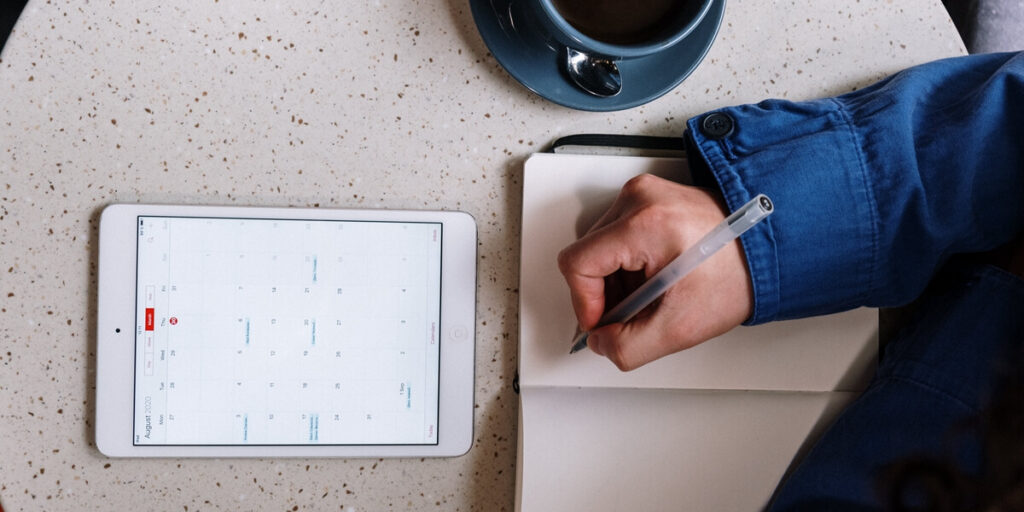
In the digital age of education, apps for note-taking have emerged as invaluable tools for students, significantly contributing to academic success. Here, we emphasize the critical role these apps play in enhancing the learning experience.
- Efficient Note Management: Note-taking apps provide a structured platform to organize and categorize your notes. This feature ensures that you can easily locate and review important information.
- Cross-Device Accessibility: The best note-taking apps offer seamless synchronization across devices, allowing you to access your notes from anywhere, be it your laptop, tablet, or smartphone.
- Offline Access: Many apps offer offline access, ensuring that you’re never disconnected from your notes, even without an internet connection.
- Versatile Note Formats: These apps often support various note formats, such as text, audio, and images, enabling you to tailor your notes to your preferred learning style.
- Annotation and Highlighting: Highlighting, annotating, and drawing features assist in emphasizing key points and concepts, aiding in better comprehension.
- Group Projects Made Easy: Many note-taking apps facilitate collaborative learning by allowing students to share and collaborate on notes, making group projects and study sessions more effective.
Task Lists and Reminders: Some apps include task management features, helping you stay organized by setting deadlines and reminders for assignments and exams.
Crafting the Best Note-Taking App with stylus for Students
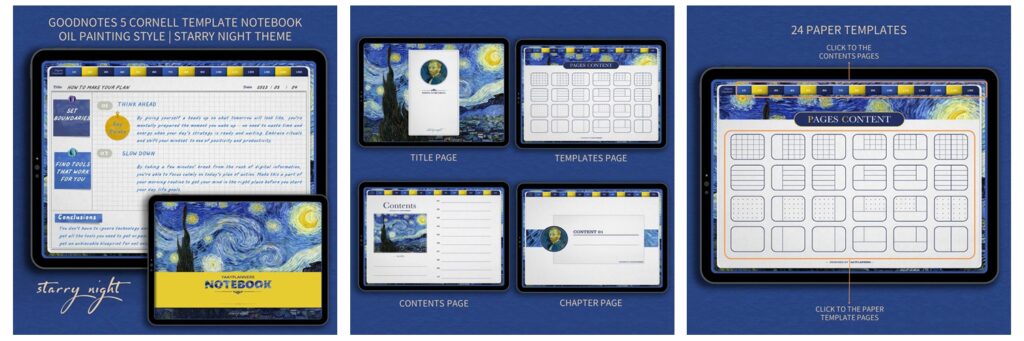
Introducing the perfect note-taking app, designed to cater to the unique needs of students, professionals, and stationery enthusiasts alike. Just like the delightful Cute Stationery Series Digital Cornell Notes, the ideal note-taking app should encompass a range of features that enhance the note-taking experience and inspire productivity.
User-Friendly Interface of apps for note taking
An ideal app should boast an intuitive user interface, making it easy for users to navigate, create, and organize their notes effectively.
Versatile Templates
Similar to the diverse templates offered by the Blossoming Almond Tree theme, a note-taking app should provide a variety of customizable templates, including Cornell paper templates, to suit different note-taking styles and preferences.
Cross-Device Compatibility
The app must sync across devices, allowing access to notes on various platforms like iPad, Android tablets, and more.
Digital Enhancements
Just like the oil painting style notebook, the app should offer stylus support for those who prefer handwritten notes, enabling precision and flexibility in note-taking.
Organization and Structure
Furthermore, the app should include robust organization features such as folders, tags, and search capabilities to facilitate efficient note management. So, it helps users stay organized amidst their study or workloads.
Collaborative Features
Similar to how the digital Cornell Notebook templates emphasize collaboration, the app should enable users to easily share notes and collaborate with peers on projects or study sessions.
Bonus Features
Consider adding bonus features like stickers, just as the templates come with delightful bonus stickers, to add a touch of creativity and personalization to notes.
How the Best Note-Taking Apps for Students Can Benefit Them
Much like the Cute Stationery Series Illustration Style Digital Cornell Notes, apps for note-taking serve as digital companions that significantly enhance productivity for students. These apps, designed for both iPad/Android tablets, work seamlessly with styluses, making handwritten notes as efficient as ever.
They provide versatile note formats, much like the oil painting style notebook, enabling students to personalize their note-taking experience.
These apps offer cross-device compatibility and efficient organization tools, ensuring your study materials are easily accessible.
They truly unlock productivity and streamline your learning process, much like the digital note templates mentioned earlier.
Optimizing Study Sessions with Digital Notes: Tips and Tricks
Like the digital note templates we talked about earlier, using the best note-taking app with stylus can make your study sessions much better. These apps have helpful tricks and features to make your note-taking more effective.
Just as the Cute Stationery Series Illustration Style Digital Cornell Notes have easy-to-use designs and different templates, these apps let you choose how you want to take your notes, making it easy for you.
These apps support a pen for beautiful handwritten notes and offer organization tools. Maximize their use by staying organized, utilizing tablet tools, and syncing notes across devices. You can even study with friends and keep track of your to-do list. These apps are like having a helpful friend for your studies, making your study sessions the best they can be.
Stylus Support for Student Success
- Stylus-ready note apps let you write like you would with a pen and paper.
- With a stylus, you can write, draw, and highlight things with accuracy.
- These apps help you create charts, graphs, and drawings with no hassle.
- You can switch between writing and typing as you like, getting the best of both worlds.
- These apps work with touch gestures and handwriting recognition, making learning more interactive.
- Making changes to your notes is easy with a stylus, so you can revise and refine as needed.
- You can add notes directly to digital textbooks, slides, or research papers.
These apps work well on tablets like iPads, giving you a smooth writing experience.
The Best Note-Taking App for Students – Recommended
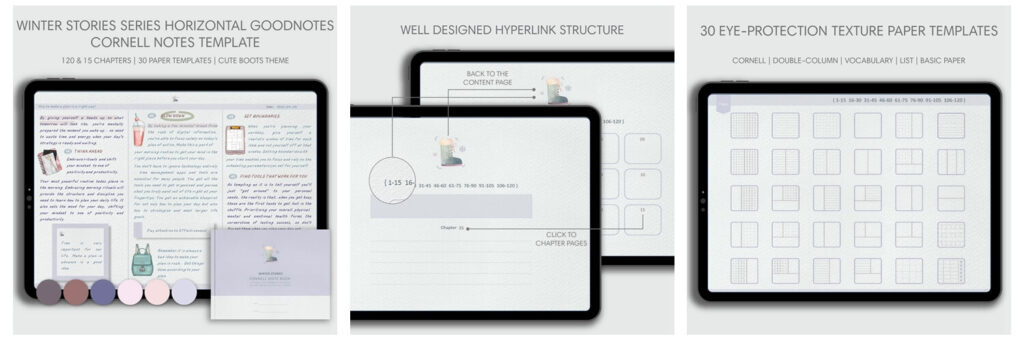
For students and digital note-taking enthusiasts, finding the right tool to enhance your study or personal note-taking experience is crucial. One highly recommended option is the “Cute Boots Theme Horizontal GoodNotes Cornell Notebook.” This digital notebook is thoughtfully designed to cater to both students and individuals who prefer taking digital notes.
Why Choose the Cute Boots Theme Horizontal GoodNotes Cornell Notebook?
- Minimalism Style: This digital Cornell notebook boasts a minimalist design, providing a clean and distraction-free space for your notes.
- Versatile Chapters: With 24 chapters to choose from, you have flexibility in organizing your notes to suit your preferences.
- Cross-Device Compatibility: Because it is designed for both iPad and Android tablets, it’s optimized for the iPad Pro, Apple Pencil, and the GoodNotes app. However, it also works well with other tablets and apps that support PDF annotations and links, including GoodNotes, Notability, Xodo, and Noteshelf.
What’s Included in the Notebook?
- Multiple Templates: You’ll find 16 inner paper templates, including Cornell notes templates, to cater to various note-taking needs.
- Color Options: The notebook offers 4 Morandi colors, allowing you to personalize your note-taking experience.
- Convenient Access: Upon payment, you’ll receive download links via Google Drive, ensuring quick and easy access to your digital notebook.
Important Notes:
- This is a digital product, and no physical product will be shipped. Upon payment, you’ll receive download links to access your digital notebook.
- Please note that the digital notebook does not include the original apps for note-taking, like GoodNotes or Notability. Of course, there is no any physical products such as an iPad or Apple Pencil.
- Additionally, colors may appear slightly different on your screen due to variations in monitors and web viewing devices.
- Support for app functionality is not provided. It’s essential to be familiar with the operation of your chosen note-taking app.